The VPN
built for gaming.
Press power and game servers see a Lagvolt IP address instead of your home one. Only game traffic goes through it by default, so downloads and streams stay on your normal connection. Runs on Windows, and works with your PS5, Xbox or Switch too.
7-day free trial. No card needed.
You, London to US Central, Chicago
Example addresses
Game servers see
203.0.113.24Your home IP. Press power to connect.
How it works
Pick your server region
Where the game's servers are: US Central, EU West, Japan and so on.
Press power
Lagvolt connects you to the fastest relay for that region.
Play
Games hosted on Amazon Web Services, Google Cloud or Valve in that region take the relay. Nothing to set up per game.
Your connection, live.
The relay you're on and the address game servers see, with live ping, jitter and packet loss next to the power button.
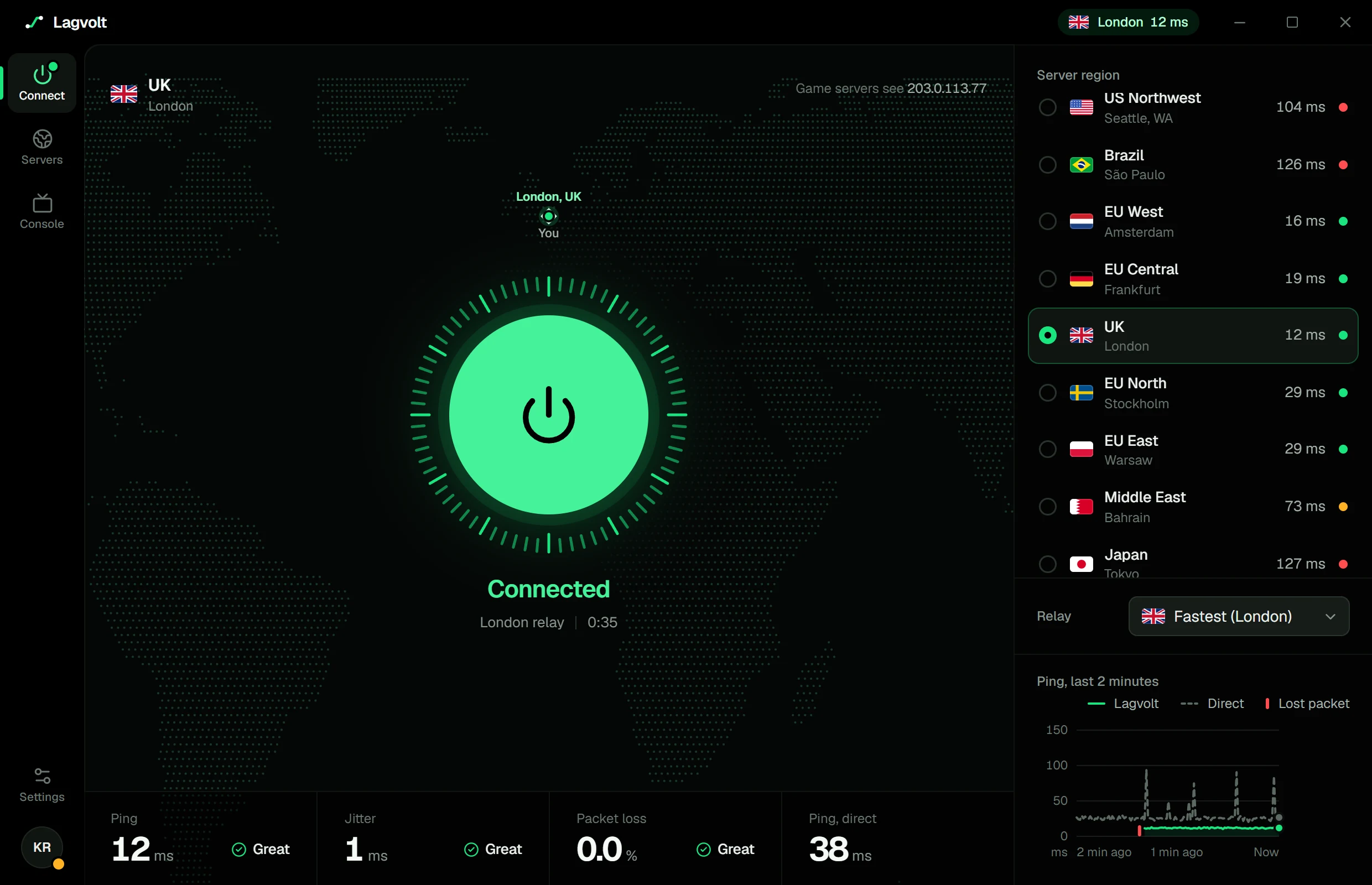
The app on demo data, not a measurement.
PS5, Xbox and Switch too.
Three ways to connect a console, all set up in the Lagvolt app on a Windows PC.
- Share from your PC
- Plug the console into your PC, or join the PC's hotspot. It uses your PC's Lagvolt connection: a cable adds under 1 ms, Wi-Fi 2 to 5 ms.
- Router
- Run Lagvolt on a WireGuard router (GL.iNet, ASUS or OpenWrt). Your PC can be off.
- Smart DNS
- Set two DNS addresses on the console. For supported games it can move matchmaking to the region you pick. The PC is only needed to set it up. Game traffic still goes direct.
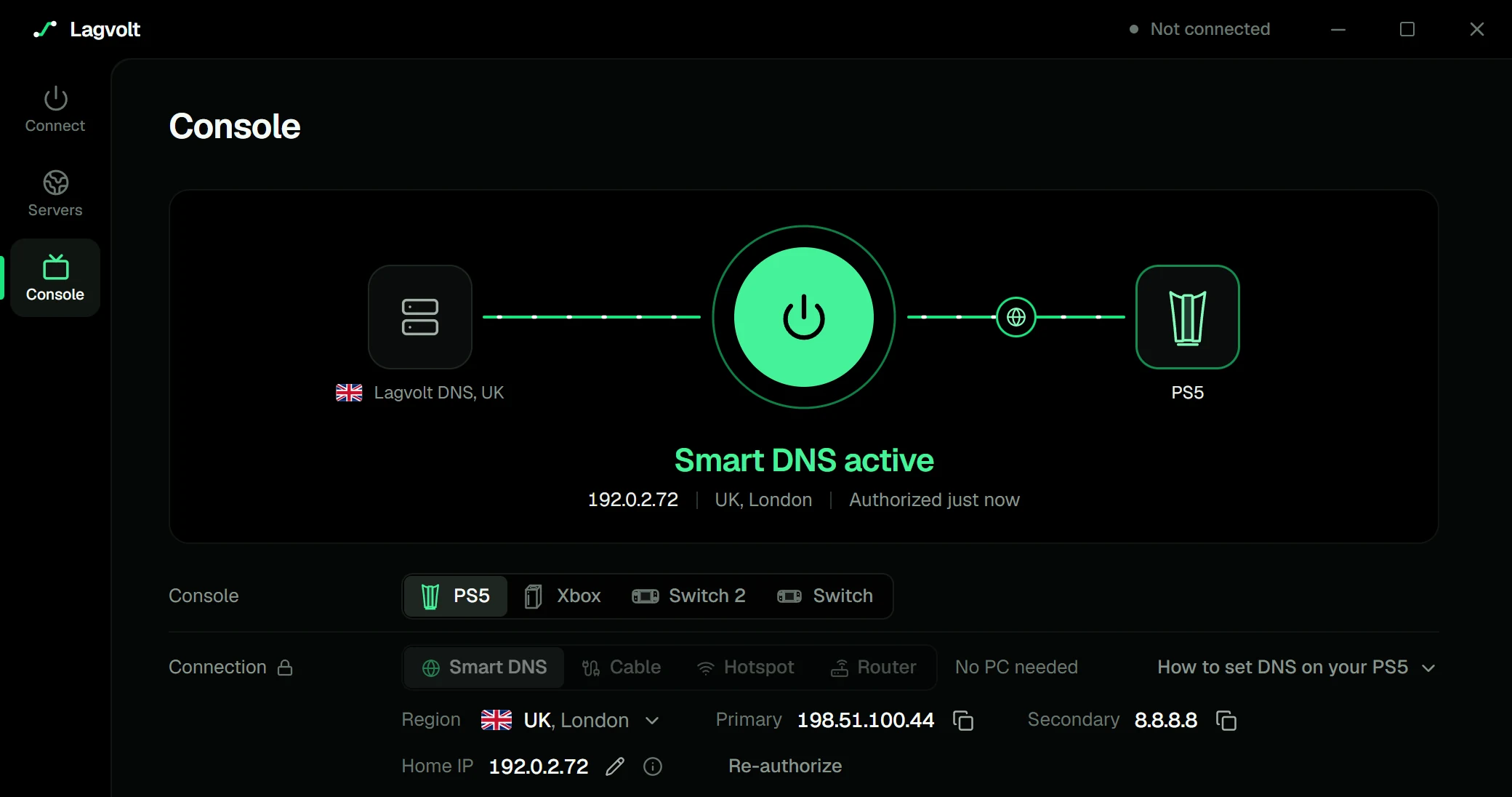
The app on demo data, not a measurement.
17 game server regions.
Pick the region your game's servers are in. Lagvolt picks the relay.
North America
- US EastAshburn, VA
- US CentralChicago, IL
- US SouthDallas, TX
- US WestLos Angeles, CA
- US NorthwestSeattle, WA
South America
- BrazilSão Paulo
Europe
- UKLondon
- EU WestAmsterdam
- EU CentralFrankfurt
- EU NorthStockholm
- EU EastWarsaw
Middle East
- Middle EastBahrain
Asia
- IndiaMumbai
- Southeast AsiaSingapore
- JapanTokyo
- KoreaSeoul
Oceania
- OceaniaSydney
One plan, two ways to pay.
Monthly
$6.99/ month
Billed monthly
Yearly
Save 40%$49.99/ year
$4.17 a month, billed yearly
Pro includes
- The VPN on your PC, all 17 game server regions
- PS5, Xbox and Switch: share from your PC or a router
- Smart DNS for consoles
- Up to 10 devices
- Game only or all traffic routing
Start with 7 days free. No card needed. Pick a plan in the app when you're ready.
Questions
Will Lagvolt lower my ping?
Sometimes, but that isn't what it's for. Lagvolt changes the address game servers see, not the distance to them. Ping comes down to that distance and the route your internet provider takes. On an indirect or congested route a relay can be steadier; on a good one, expect about the same ping or a few milliseconds more. The app shows your ping live, with and without Lagvolt.
Which games does it work with?
Online games on your PC. You don't set up games one by one: you pick the server region the game connects to, and games hosted there take that route. By default only traffic to the big game hosts in that region (Amazon Web Services, Google Cloud and Valve) goes through the relay. If a game uses a host outside those, switch to All traffic in the app under Settings > Network > Traffic mode.
Does it work on PS5, Xbox and Switch?
Yes, with a Windows PC to set it up. Share the PC's Lagvolt connection over a network cable or its hotspot, or run Lagvolt on a supported router so the PC can be off. Smart DNS also lets the PC be off once it's set up: for supported games it can move matchmaking to the region you pick, but game traffic still goes direct.
Why use a VPN for gaming?
Lagvolt connects your PC to our relays over WireGuard, so game servers see a Lagvolt IP address instead of your home one. By default only traffic to the big game hosts goes through it, so everything else stays on your normal connection. Switch to All traffic to send everything through it, which also keeps your home address from other players in peer-to-peer lobbies. It's built for games, not for streaming services or anonymity.
How does the free trial work?
Sign in to the app and you get 7 days of Pro, no card needed. After that, choose monthly or yearly to keep using it.
Can I cancel any time?
Yes. Cancel in the app under Settings > Account > Plan > Manage and you keep access until the end of the period you've paid for. You won't be charged again.
Try it with your games.
7 days free. No card needed.